Personal & Family

A person's life, a family's life,
kept on your own device.

It’s your assistant for life and work, your companion, and a memory that lasts a lifetime. Your family’s real photos, videos, voices and documents, plus everyday work and life, are organized on your own device into times, places, people and events.

Early accessData & privacy
A family timelinePhotosVideoRecordingsDocs
Parents
WeddingPhotos
Old housePhotos
First camcorderVideo
Me
BornPhotos
SchoolPhotos
GraduationPhotos · Docs
First jobDocs · Audio
WeddingVideo · Audio
Kids
BornPhotos · Video
First stepsVideo
PastToday
Each line is one person's life. Where they meet is the memory a family shares.
01 · More than storage

Storing things
and remembering them are different.

From the day you're born: not just files, but the continuous thread between people and time.

The usual approach
Cloud photos & drives
Stores things; you scroll by date.
Chat assistants
Answers the question in front of it, then forgets.
Retrieval Q&A (RAG)
Finds an answer once, then starts over next time.
OpenMiRA
Keeps understanding a person's and a family's whole life
Not a one-time import: every day it reads, recognizes and connects.
Connects people, places, events, knowledge and creations
A photo knows who, where and which occasion; a video knows who's in it and what was said.
Every pass of organizing, asking and creating stays
It becomes context for next time. The longer you use it, the better it knows you and your family.
Retrieval is a feature. Lifelong memory is something that grows along with a life.
02 · For you

Work and life,
in one memory.

For individuals, it's an assistant for work and life: it helps you find, understand and keep using a lifetime of your own files.

Today · New · To-do · On this day
Organizes every day
The home screen gathers today's new files, subscriptions and to-dos before you think to ask. On this day gives you a daily way back.
pdf · docx · jpg · heic · m4a · mp4
A lifetime of files in one library
Documents, photos, recordings, videos and screenshots, whatever folder or drive they're on, searchable and askable together. Originals stay put.
“Put the contracts, photos and chat screenshots from the renovation together”
Organize in one sentence
It builds albums by person, topic and time, keeping images, videos and events linked, and you can keep editing the result.
Preferences · People · Decisions
Remembers you
Your preferences, your family's names, what you decided last year: it keeps track. When something changes, it asks which version counts.
03 · For your family

Every family member's life,
woven into a shared memory.

For families, it's the keeper of shared memory: your family's events, people and places, ready to revisit, understand, create with and pass on.
127.0.0.1:8090
Time MachineOn this dayBy event
A tripA trip
The petsThe pets
Kids' toysKids' toys
New Year's dinnerNew Year's dinner
Those photos from the mountains last summer
People & relationships
People lists, relationship maps, close circles; even who appears in a video. Scattered photos and videos organized around the people in your family.
Time Machine
Groups photos and videos by event, using the real capture time and the people in them. Any event can become a memory film.
Places
Offline maps, location clusters and place albums, with no calls to outside map services. Travel photos and places become an editable route story.
Home videos
More than playback: organized by person, topic and scene. Ask in a sentence and jump straight to the moment.
Deciding who's who
stays with you.
Similarity is only a hint. Merging, rejecting, naming and confirming relationships are yours to do. Get one person wrong and the whole timeline is wrong, so here it only suggests. It never decides for you.
04 · From birth to grown-up

Every year of your child's life,
on one line.

Your kid's photos are spread across phones, cameras and family group chats. It gathers them onto one timeline and recognizes the same child, even years apart.

This only makes sense if the data never leaves home. The data stays home; its value keeps growing.

Growing Up
05 · Create again

Memories you can keep building on.

Start from your own photos and videos to make albums, films and images. The original and every edit are kept.
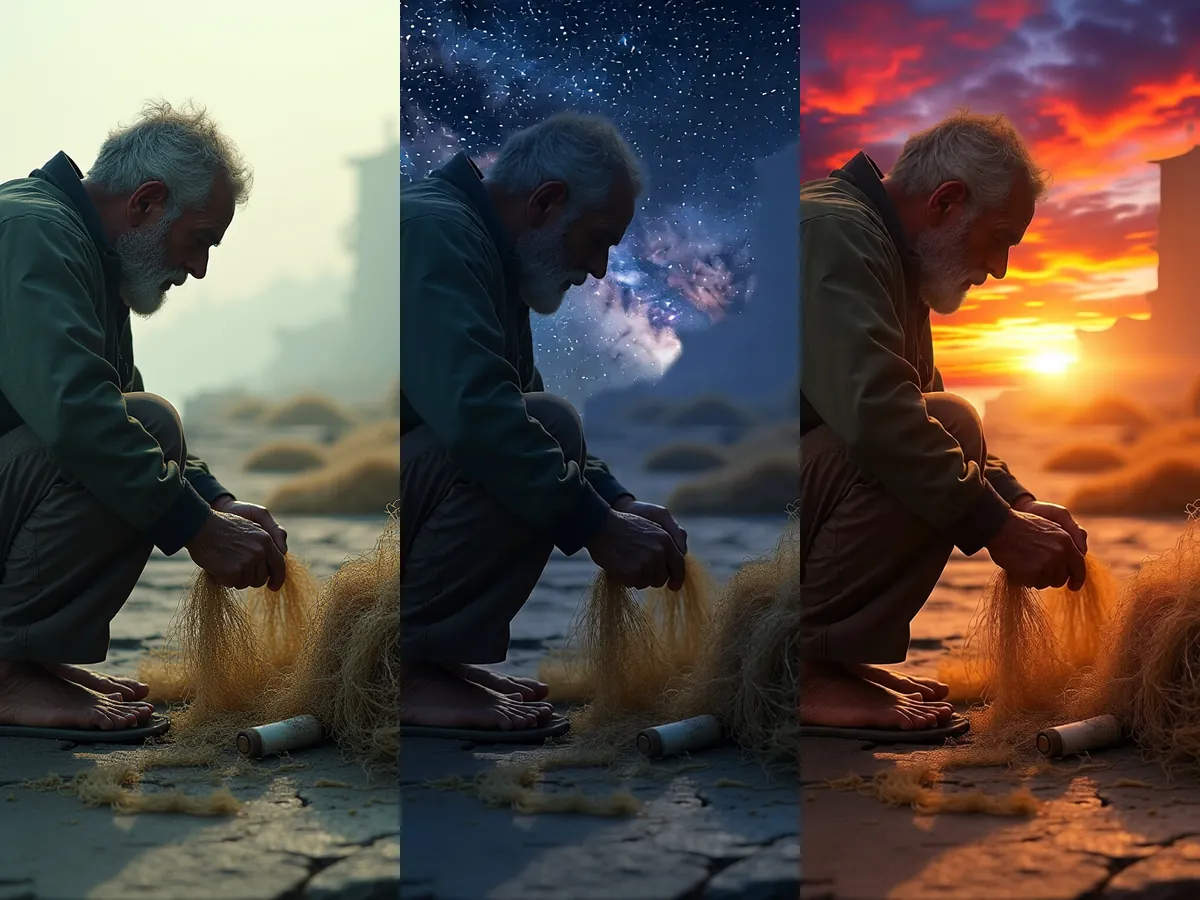
Photo editing
21 editing tools: time of day and weather, local touch-ups, before/after. Go back to the original any time.
Memory films
A trip, a holiday, an event: pick the moments and cut a short film, all on this device.
Route stories
Travel photos and places become a route story; reorder the stops and generate versions in different styles.
Examples
Examples, generated on-device by OpenMiRA.
Retouching · sky swap
Video generation
Video generation
06 · Legacy

Leave a lifetime to your family.

A lifetime of photos, voices and words shouldn’t vanish with a device, an account or a company. OpenMiRA keeps them on your own device, where your family can revisit them and ask questions today.

Today
A lifetime of files, kept at home
Original files stay where they are, data stays off the cloud, and nothing depends on any one company staying in business.
Available
People & relationships
Recognizes the same person across years and tells speakers apart in transcripts, so every line is tied to a person.
Available
Revisit and ask, with sources
Ask “What did Dad say back then?” and open the original behind every answer. Time Machine and memory films string a lifetime together.
Available
Next
Consent and family access
The person decides what is shared, under what conditions, and with whom.
Planned
Full export in open formats
Readable with ordinary tools, with no dependence on OpenMiRA.
Planned
07 · Getting started

Start with one photo folder.

No migration, no need to import everything at once. First, make one stretch of memory visible, findable and creative again.

01
Connect
Photos, videos and documents. Originals stay put.
02
Understand
Recognizes people, places and events and links them into context.
03
Find
Ask in a sentence; answers cite the originals.
04
Remember
Time Machine and albums: memory your family shares.
05
Create
Make films and images; every version is kept.

Start with one device and one memory.

Keep a lifetime of photos and videos close, and pass your family's memories on.

Early accessBrowse scenarios